Style Guide
The foundations, components, and sections this portfolio is designed and coded with.
Colors
| Name | CSS Variable | Value | Swatch | Usage |
|---|---|---|---|---|
| Background | --color-bg | #f7f7f7 | Page background | |
| White | --color-white | #ffffff | Cards, inputs | |
| Black | --color-black | #000000 | Display / H1 headings (Neutral Darkest) | |
| Coal | --color-coal | #0c0c0c | Primary text, buttons | |
| Foreground | --color-fg | #0c0c0c | Body text (alias of coal) | |
| Neutral Darker | --color-neutral-darker | #222222 | Secondary headings, eyebrows | |
| Neutral Dark | --color-neutral-dark | #444444 | Emphasised body text | |
| Neutral | --color-neutral | #666666 | Secondary text | |
| Muted | --color-muted | #6f6f6f | Secondary text, labels | |
| Neutral Light | --color-neutral-light | #8e8e8e | Tertiary text, placeholders | |
| Subtle | --color-subtle | #999999 | Tertiary text, placeholders | |
| Border | --color-border | #6f6f6f | Default borders | |
| Neutral Lighter | --color-neutral-lighter | #e6e6e6 | Light dividers, subtle borders | |
| Border Subtle | --color-border-subtle | #e5e5e5 | Light dividers | |
| Neutral Lightest | --color-neutral-lightest | #f7f7f7 | Subtle fills, hover backgrounds | |
| Green | --color-green | #8cee6f | Checkmarks, availability | |
| Yellow | --color-yellow | #ffc609 | Checkmarks, accents |
Typography
| Name | Font | Mobile | Desktop | Weight | Line Height | Tracking | Sample |
|---|---|---|---|---|---|---|---|
| Display / H1 | Instrument Sans | 56px | 92px | 500 | 1 | -0.05em | Build in code. |
| Heading 2 | Instrument Sans | 28px | 36px | 500 | 1.2 | -0.03em | Section Heading |
| Heading 3 | Instrument Sans | 28px | 40px | 500 | 1.2 | -0.03em | Subsection |
| Heading 4 | Instrument Sans | 24px | 28px | 500 | 1.2 | -0.03em | Sub-subsection |
| Heading 5 | Instrument Sans | 20px | 24px | 500 | 1.2 | -0.03em | Minor heading |
| Body | Instrument Sans | 16px | 16px | 400 | 1.4 | -0.02em | Body text for regular content and descriptions. |
| Lead | Instrument Sans | 18px | 18px | 400 | 1.4 | -0.02em | Lead paragraph text for introductions. |
| Small | Instrument Sans | 14px | 14px | 400 | 1.4 | 0 | Small text for footers and disclaimers. |
| Muted | Instrument Sans | 16px | 16px | 400 | 1.4 | -0.02em | Muted text for secondary info. |
| Tag / Label | Inconsolata | 16px | 16px | 400 | 1 | 0.05em | UPPERCASE LABEL |
Font Families
| Name | Family | CSS Variable | Usage |
|---|---|---|---|
| Sans | Instrument Sans | --font-sans | Body text, headings, UI |
| Mono | Inconsolata | --font-mono | Labels, tags, company names |
Spacing
| Token | Rem | Pixels | Preview |
|---|---|---|---|
| 1 | 0.25rem | 4px | |
| 2 | 0.5rem | 8px | |
| 3 | 0.75rem | 12px | |
| 4 | 1rem | 16px | |
| 5 | 1.25rem | 20px | |
| 6 | 1.5rem | 24px | |
| 8 | 2rem | 32px | |
| 10 | 2.5rem | 40px | |
| 12 | 3rem | 48px | |
| 16 | 4rem | 64px |
Border Radius
| Name | Value | Preview |
|---|---|---|
| sm | 0.375rem (6px) | |
| md | 0.5rem (8px) | |
| lg | 0.75rem (12px) | |
| xl | 1rem (16px) | |
| 2xl | 1.5rem (24px) | |
| card-img | 12px | |
| card-md | 16px | |
| card-sm | 20px | |
| card | 24px | |
| full | 9999px |
Shadows
| Name | CSS Value | Preview |
|---|---|---|
| Nav pill | 0 2px 8px 2px rgba(0,0,0,0.1), inset 2px 2px 0.5px -2px rgba(160,160,160,0.25) |
Transitions & Animations
| Name | Duration | Easing | Preview |
|---|---|---|---|
| fast | 150ms | ease | |
| normal | 200ms | ease | |
| slow | 300ms | ease | |
| fade-in | 600ms | cubic-bezier(0.16, 1, 0.3, 1) |
Entrance animations use .fade-in-ready / .fade-in-visible classes via ScrollReveal and FadeIn components. Entrance fades and the hero star play identically on every device, including phones in Low Power Mode (which reports prefers-reduced-motion); image shimmer still respects the preference.
| Variant | Size | Default | Hover | Active | Disabled |
|---|---|---|---|---|---|
| primary | small | Label | Label | ||
| primary | default | Label | Label | ||
| secondary | small | Label | Label | ||
| secondary | default | Label | Label | ||
| ghost | small | Label | Label | ||
| ghost | default | Label | Label |
Button Props
| Prop | Type | Default | Description |
|---|---|---|---|
| variant | primary | secondary | ghost | primary | Visual style |
| size | small | default | default | Size preset |
| href | string | - | Renders as Link or anchor |
| external | boolean | false | Opens in new tab |
Links
Text links share the site's hover language: an animated underline, or the FlipText slide. External links add a trailing arrow icon; section “more” links add a nudging arrow. Ghost buttons reuse the same FlipText hover.
| Variant | Classes | Usage |
|---|---|---|
| Text link | hover-underline | Breadcrumbs, inline links, footer credit |
| Flip link | group/flip + FlipText | Contact links, nav, ghost buttons |
| External link | FlipText + ExternalIcon (new tab) | Off-site links (LinkedIn, Notion) |
| “More” link | nudging → + FlipText | Section headers (See all work) |
Cards
Cards use an inline pattern. There is no Card component.
| Pattern | Classes |
|---|---|
| Base card | bg-white border border-coal/40 rounded-card p-[40px] |
| Stat card | bg-white rounded-[8px] p-6 md:p-[28px] flex flex-col gap-6 |
| Project card | bg-white border border-coal/40 rounded-card-md md:rounded-card overflow-hidden flex flex-col |
Card Title
Card description text goes here.
Badges & Tags
| Variant | Preview |
|---|---|
| Filter tag (inactive) | |
| Filter tag (active) | |
| Capability tag (static, non-interactive) | Design systems |
Checkmarks
| Variant | Color | Size | Usage | Preview |
|---|---|---|---|---|
| yellow | #ffc609 | 18x18px | Hero stat highlights | |
| green | #8cee6f | 18x18px | Hero stat highlights, availability indicator | |
| outline | #0c0c0c (border) | 16x16px | Project card highlights |
Form Inputs
| State | Preview |
|---|---|
| Default | |
| Filled | |
| Disabled | |
| Textarea |
Interaction States
Global Focus Ring
All interactive elements use outline: 2px solid coal with outline-offset: 2px on :focus-visible.
::selection
Text selection uses bg-coal text-white. Try selecting this text to see it.
Hover Effects System
Three reusable CSS classes define all hover interactions. Each uses cubic-bezier(0.16, 1, 0.3, 1) for a snappy, minimalist feel.
| Class | Effect | Used On |
|---|---|---|
| hover-underline | Animated underline slides in from left (0.3s) | Text links, breadcrumbs, ghost buttons |
| hover-lift | translateY(-2px) + subtle shadow (0.3s) | Primary buttons, CTA buttons |
| hover-lift-card | translateY(-4px) + larger shadow (0.3s) | Article cards, interactive cards |
| hover-float | transition transform 0.3s → tile-float keyframes on hover | Logo link and each header nav item |
| FlipText (group/flip) | Label is clipped to one line; on hover it slides up while an identical copy slides up from below (0.45s) | Header & mobile nav links |
Nav Link States
| State | Styles | Preview |
|---|---|---|
| Default | text-muted, 14px, hover:text-coal hover:bg-white/90 hover:border-coal/10 hover:shadow-[0_2px_6px_rgba(0,0,0,0.05)] | Work |
| Active | text-coal bg-yellow border-yellow shadow-sm | Work |
Filter Tag States
| State | Styles | Preview |
|---|---|---|
| Inactive | border-border-subtle, text-neutral-dark, rounded-md | Tag |
| Inactive + Hover | text-coal, border-border, bg-white | Tag |
| Active | bg-coal, text-white | Tag |
Header
| Property | Value | Description |
|---|---|---|
| position | sticky top-0 | Sticks to viewport top on scroll |
| z-index | 50 | Above all content |
| nav items | Work, About, Articles, Contact | On the home page Work / About / Articles anchor to in-page sections (#work, #about, #articles); Contact scrolls to the CTA |
| logo | md:h-10 w-10 (18×14 mark) | Compact 40px logo on desktop (56px tap target on mobile), 6px gap to the nav links |
| font size | 14px | Nav link text size |
| active state | bg-yellow border-yellow | Yellow pill for the active link; on the home page a scroll-spy highlights the section currently in view |
| scroll transition | IntersectionObserver, 80px sentinel, 700ms | Logo + links collapse together into one frosted white/80 + backdrop-blur-md pill with a subtle border & shadow on scroll |
| mobile menu | bg-white/95 border shadow-sm | Hamburger with animated bars → X morph |

| Property | Value | Description |
|---|---|---|
| layout | Single row, wrapped in ScrollReveal | Credit line left, copyright pinned right (flex, md:justify-between) |
| credit | 12px, text-muted, tracking-[-0.02em] | “Designed & built from scratch with Claude Code↑, using Notion↑ as the CMS. View the Style Guide” — external + internal links |
| copyright | 12px, text-muted, tracking-[-0.02em] | © Raygar He, {year}. All rights reserved — dynamic year via Date() |
This website was designed and built from scratch with Claude Code, using Notion as the CMS. View the Style Guide.
© Raygar He, 2026. All rights reserved
Hero Section
| Element | Description |
|---|---|
| Avatar | 140px mobile / 212px desktop circle, with ~40/53px star badge overlay |
| Name + Title | 40px mobile / 56px name; below it a 20px medium title line and a 14px muted location line |
| Stat Cards | 3-column grid: "0→1" (1 col) + "8+ years" (2 cols) with logos. Borderless bg-white rounded-[8px] cards |
| Highlights | Checkmark items with yellow/green variants |
| Animations | FadeIn (avatar) + FadeInWords (name/title) with staggered delays |
Raygar He
Senior Product Designer (AI, Web & Mobile Apps)
Based in Queensland, Australia — working globally
0 → 1
Lead end-to-end product design
8+ years
Across startups and enterprises
Case Tile
Vertical case-study card (shares the article-card shape): a cover screenshot on top at a 7:5 aspect (object-top), then a meta line (company · timeline), the project tagline, a short description, and a “View summary” link. Used in the home Work grid. Falls back to a mint gradient placeholder when no cover is set.
| Prop | Type | Description |
|---|---|---|
| company | string | Meta line, first item (14px, muted) |
| timeline | string? | Optional second meta item, ·-separated (from CMS) |
| tagline | string | Project title (16px medium, coal) |
| description | string? | Body copy (14px, muted) |
| cover | string? | Cover image (7:5, object-top); CMS page cover |
| cta | string? | Link label, falls back to “View summary” |
| href | string? | Card link target |
Building the systems to drive conversion.
Driving home loan conversion through a design system, experimentation practice, and research-led page experience.
Section Heading
The reusable heading that introduces the Work, About, and Articles sections on the home page.
| Property | Value | Description |
|---|---|---|
| eyebrow | font-mono 14px uppercase tracking-[0.8px] | Mono label above the section (SectionHeading title) |
| headline | 28px / 48px medium, tracking-[-0.03em] | Optional large statement below the eyebrow |
| more link | → label, bottom-right | Optional trailing link (arrow nudges, label underlines on hover); non-sticky, revealed via ScrollReveal |
Experience & Education
Résumé-style listing rendered inside a white card (rounded-[8px], p-7). Each row is a responsive grid divided by hairlines (divide-y divide-border-subtle); below xl the columns stack. In Experience, each position is a three-column row — role + tags, then the company, then period · location (right-aligned). The company name is shown once per company, so multiple roles at the same company read as a grouped block.
| Element | Style | Description |
|---|---|---|
| company / institution | 14px regular, black | Left column, emphasised proper noun |
| location | 12px regular, neutral | Follows the period on the same line (Experience); under the degree (Education) |
| title / degree | 14px regular, neutral-dark | Position title or qualification (right column) |
| period | 12px regular, neutral, right | Date range per position, shown as “period · location” (Experience only) |
| tags | capability tag — 12px, bg-neutral-lighter, rounded-md | Specialisation chips under each position (Experience only) |
Experience
ANZ
2026–Present·Brisbane
2024–Present·Brisbane
ADPList
2024–Present·Remote
Suncorp Group
2023–2024·Brisbane
2023–2024·Brisbane
Savvy
2021–2024·Adelaide
Jumbo Interactive
2022–2023·Brisbane
The Distillery
2021·Adelaide
JR Academy
2019–2020·Brisbane & Adelaide
Dogstar
2018–2019·Brisbane
Guangdong University of Foreign Studies
2014–2016·Guangzhou
Education
MSc Computer Science
University of Adelaide
Adelaide, Australia
BSc Interactive and Visual Design
Queensland University of Technology
Brisbane, Australia
Art & Design (Illustration)
Sheffield Hallam University
Sheffield, United Kingdom
Art (Graphic Design)
Guangdong University of Foreign Studies
Guangzhou, China
Digital Accessibility Certificates
Intopia
Online
CTA Section (ContactSection)
| Property | Value | Description |
|---|---|---|
| heading | 40px / 64px | “Let's connect.” — medium, white, responsive |
| card | bg-neutral-darker rounded-[8px] | Solid dark card, min-h-[360px] md:min-h-[520px], p-8 md:p-14 |
| CTAs | Text links (FlipText) | LinkedIn, Resume, Copy my email & Book a mentorship — 16px white/80 links, each wrapped in FlipText. A hairline divider sets Book a mentorship apart as the primary CTA |
| copy my email | clipboard action | Copies raygarhoo@gmail.com; swaps to “Email copied ✓” for 2s (aria-live). No external indicator |
| external indicator | trailing ExternalIcon + sr-only | Trailing ExternalIcon and “(opens in new tab)” on each external CTA — LinkedIn, Resume, mentorship (WCAG) |
| animation | ScrollReveal | Scroll-triggered entrance animation |
| visibility | Hidden on /styleguide | Also hidden on the 404 page; anchored at #contact (Header Contact link scrolls here) |
Sticky sidebar navigation used on About, Work detail, Article detail, and Styleguide pages. Highlights the active section as the user scrolls.
| Property | Value | Description |
|---|---|---|
| position | sticky top-24 | Fixed in viewport while scrolling |
| active indicator | border-l-2 border-coal | Left border highlights the active section |
| guide line | border-l border-border-subtle | Subtle vertical line connecting all items |
| heading | 10px / uppercase / tracking-widest / mb-4 | “On this page” label |
| item text | 12px | H2 link size; H3 sub-items are 11px, pl-7, prefixed with a “↳” glyph |
| items | Overview + headings | First item is always Overview; the rest are the case study's H2/H3 headings |
| width | w-[200px] | Fixed sidebar width |
| scroll offset | scroll-margin-top: 100px | Prevents sticky header from covering section headings |
| visibility | hidden md:block | Only visible on medium and larger screens |
On this page
- Overview
- Context
- ↳Problem framing
- Process
- Outcome
Password Modal
Clicking a password-protected case study opens this prompt as an overlay on the current page — no navigation. A correct password unlocks the case study (the unlock is remembered for the tab); Close, Escape, or a backdrop click dismisses it and leaves the user exactly where they were. The same PasswordPromptForm is reused by the inline gate shown on direct visits.
| Property | Value | Description |
|---|---|---|
| overlay | fixed inset-0 z-[100] | Portal to body; backdrop bg-coal/40 + 2px blur, click to close |
| panel | max-w-sm rounded-card-md p-8 | White card, border-coal/40, soft drop shadow |
| motion | fade + scale 0.96→1 | cubic-bezier(0.16, 1, 0.3, 1); fade-only under reduced motion |
| dismiss | Close ✕ / Esc / backdrop | Stays on the same page; no route change |
| a11y | role="dialog" aria-modal | Autofocus input, focus trap, scroll lock, focus restored on close |
Protected project
Enter the password to view this case study.
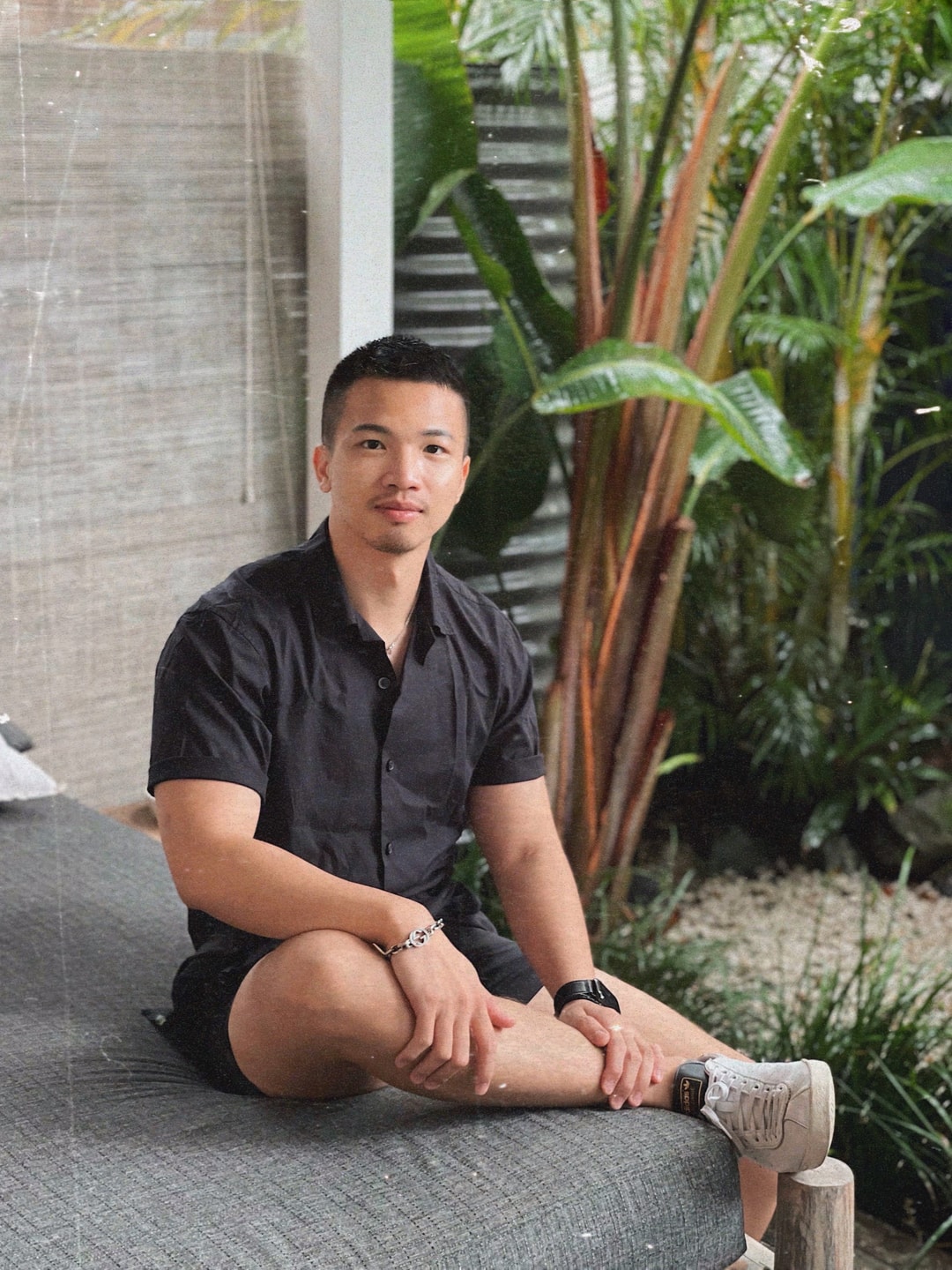
Let's connect.
Raygar He, Senior Product Designer